
OctaApp - Donate Plasma
Octapharma Plasma Inc.Medical
4.4861.00 Reviews
- Version
- 5.4.0
- Installs
- 100.00K
- Age Rating
- Everyone
Screenshots
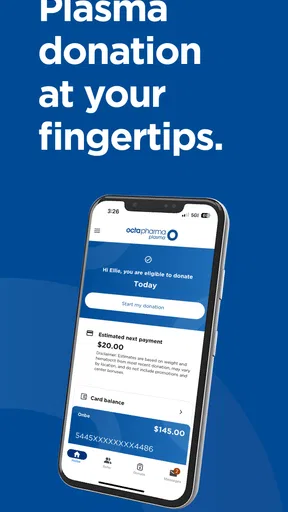
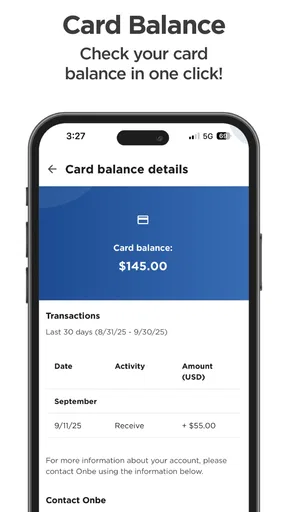
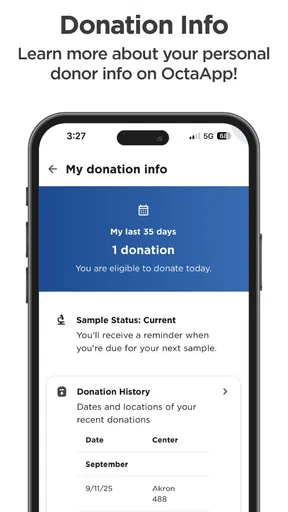
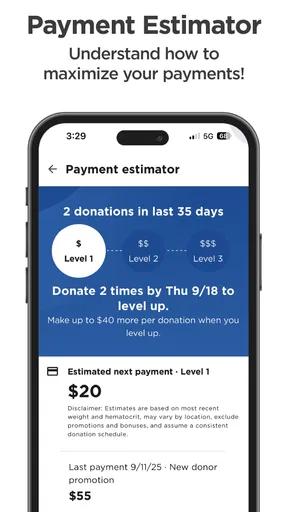
Our Review of OctaApp - Donate Plasma
 Analysis by Appyee
When I use a medical app, I want it to remove small points of friction rather than make me learn another complicated system. OctaApp - Donate Plasma is built around that practical idea: it gives Octapharma Plasma donors a mobile place to reach their plasma donation information. I see it as a companion to the donation-center experience, not as a general health tracker or a replacement for medical advice.
The app is free, aimed at everyone, and developed by Octapharma Plasma Inc. Its purpose is narrow, which is both its main advantage and the first thing to consider before installing it. If you already donate plasma with Octapharma Plasma, the app can make recurring tasks easier to manage. If you are looking for broad wellness tools, medication reminders, symptom tracking, or a general donor platform, this is probably not the right category of app for you.
What I considered before recommending it
My first decision criterion was relevance. A focused app can be more useful than a larger health platform when it matches one specific routine. Plasma donation involves repeated visits, personal information, and practical preparation. Having a dedicated place for that relationship is more convenient than relying on memory, paper notes, or a general calendar alone.
The second criterion was clarity. A donor should be able to open the app and quickly understand where to look for donation-related information. I would not judge this app by the standards of a fitness dashboard because that would miss its purpose. The better question is whether it helps an Octapharma Plasma donor stay organized before and after visits.
The third criterion was trust and boundaries. This is a medical-category app, but that does not mean every screen should be treated as clinical guidance. I would still follow instructions from the donation center and qualified staff when health questions arise. The app is most useful for access and organization; it should not become the only source I use to decide whether I am fit to donate.
There is also a practical question: will I use it often enough to justify another app on my phone? For a regular donor, the answer is more likely to be yes. For someone who donates rarely or is only researching the process, the benefit may be smaller. That distinction matters more than the average rating or install count because usefulness here depends heavily on personal routine.
A realistic day-to-day example
Imagine I am planning my week around work, transportation, and a plasma donation. Instead of searching through old messages or trying to remember what happened during my last visit, I open the dedicated app and check my available donation information before leaving home. After the appointment, I can return to the same place when I need to review the relevant details again.
That may sound modest, but repeated routines are where focused apps earn their place. The value is not a dramatic feature; it is reducing the number of small decisions I make each time. I can keep my personal calendar for work and family commitments while using OctaApp for the donation-specific side of the routine. This separation is useful because it keeps medical and scheduling information from becoming scattered across unrelated tools.
One tip I would give a new user is to open the app before an appointment rather than waiting until standing at the center. That gives me time to notice whether I need to update anything, check information calmly, and avoid treating the app as an emergency source of answers. A second useful habit is to compare what appears in the app with the instructions given by the center, especially when those instructions concern eligibility or preparation.
What the focused design does well
The strongest part of OctaApp is its direct connection to the Octapharma Plasma donation relationship. Because it comes from Octapharma Plasma Inc., it is more naturally suited to donors using that organization than a generic notes app or calendar. I do not have to recreate a donation workflow manually in a separate tool.
This focus also makes the app easier to explain to another person. I could tell a friend, “This is the app for keeping up with your Octapharma Plasma donation information,” and they would understand its role immediately. There is no need to turn a broad health service into a personal system of labels, reminders, and notes just to support one recurring activity.
The app has reached over one hundred thousand installs and holds a 4.2 average from around eighteen hundred ratings, with hundreds of written reviews. Those figures suggest that it has found a real audience, although they do not tell me whether it will fit every donor’s routine. I treat them as a useful signal of familiarity, not as a substitute for checking whether the app serves my particular center and needs.
Its current version is 5.2.1, and it supports devices running Android 7.0 or later. That makes the technical entry point fairly approachable for people using older Android phones, though device compatibility is still worth checking before relying on any app for an appointment routine. I would install and sign in well before a planned visit, not minutes before leaving.
Useful habits that are easy to overlook
One non-obvious advantage of using a dedicated donor app is continuity. A general calendar can tell me when I planned to donate, but it does not naturally preserve the donation context around that plan. By keeping the official information in one place, I reduce the risk of confusing a personal reminder with an official detail.
Another practical insight is that the app can act as a preparation checkpoint. I can use it to gather the information I need before traveling, then keep my phone available during the visit without searching through several different applications. This is especially helpful when a donor has a busy schedule or shares a phone with other everyday tasks.
A third trade-off involves privacy and convenience. A dedicated medical-related app may be more convenient than paper records, but I should still use sensible phone security and avoid handing my unlocked device to someone casually. I would also keep important appointment or identity details accessible through the normal channels recommended by the center rather than assuming the app alone covers every situation.
Finally, I would not confuse an organized interface with a guarantee of eligibility. A donor can have all the relevant information in front of them and still need to answer health questions or follow an on-site assessment. The app helps me prepare; it does not make the final medical decision for me.
Where other options may fit better
OctaApp is not automatically better than every alternative. A phone calendar may be enough for someone who only wants a reminder. A notes app may suit a donor who prefers writing down personal observations. A general health app may be preferable for someone who wants one place for medication schedules, exercise, appointments, and broader wellness information.
The difference is that those alternatives require more manual organization, while this app is designed around the Octapharma Plasma relationship. If I already use a calendar successfully and rarely need donation-specific information, adding another app could create duplication. In that situation, the simpler option may be the better option.
There is also a clear boundary around provider choice. Someone who donates through another organization may not gain much from installing this app. Its value comes from being connected to Octapharma Plasma, so the decision should begin with the center I actually use, not with the app’s rating or its presence in an app store.
People seeking detailed medical education should look elsewhere as well. I would prefer information from qualified healthcare professionals or official center guidance when I have questions about health, eligibility, side effects, or preparation. A focused donor-information app can support that process, but it should not replace it.
For users who dislike account-based services, repeated sign-ins, or keeping personal information in a dedicated platform, the convenience may not outweigh the friction. I would also skip it if I only need a one-time reminder and already have a reliable system. The best app is not always the one with the most direct connection; it is the one that fits the way I actually manage my obligations.
What switching to it really involves
The cost of switching is mostly organizational rather than financial. Since the app is free, I am not deciding whether a subscription is worth keeping. Instead, I am deciding whether to move my donation-related routine from memory, paper, messages, or a generic calendar into a dedicated Octapharma Plasma tool.
That change can be worthwhile, but I would not delete my existing reminders immediately. During the first few donation visits, I would keep my calendar reminder in place and use OctaApp alongside it. This gives me a safety net while I learn where the information I need appears and whether the app fits my normal routine.
I would also avoid assuming that installing the app automatically transfers every personal note or reminder I have kept elsewhere. A careful transition means checking my upcoming plans, preserving anything important in my existing system, and then deciding which tool should remain the primary reminder. This prevents a common mistake: replacing a familiar system before confirming that the new one covers the same practical need.
For a regular donor, the small setup effort may pay off through less searching before visits. For an occasional donor, the transition may not be worthwhile. That is why I see frequency of use as the deciding factor. The app becomes more compelling as the donation routine becomes more regular and information-heavy.
Who I would recommend it to
I would recommend OctaApp first to people who already donate plasma through Octapharma Plasma and want a central mobile place for their donation information. It is particularly sensible for donors who often forget where they stored details, manage a changing schedule, or want to separate donation tasks from their general calendar.
I would also suggest it to someone beginning a regular donation routine, provided they understand what the app is for. Starting with one dedicated tool can be easier than building a patchwork of screenshots, text messages, and handwritten notes. My advice would be to install it early, explore it before the next appointment, and continue following the center’s direct instructions.
I would not recommend it as a general medical app. It is not the choice I would make for tracking an entire household’s health, recording symptoms, managing medication, or replacing professional advice. I would also hesitate to recommend it to a person who does not use Octapharma Plasma, because the app’s focused purpose is then unlikely to justify the space on their phone.
The age rating is Everyone, and the app is free, which removes two common barriers for many users. Still, those labels do not answer the more important question of usefulness. A free app can remain unnecessary if it duplicates a system that already works, while a focused app can be valuable when it fits a repeated real-world task.
My recommendation after weighing the trade-offs
My overall opinion is favorable, but deliberately narrow. OctaApp is worth trying when your plasma donation routine already runs through Octapharma Plasma. Its strength is not that it tries to cover every part of health management; its strength is that it gives one donation relationship a dedicated mobile home.
I would approach it as a convenience layer, not as a medical authority. Use it to stay organized, check relevant donation information, and reduce the need to search across unrelated apps. Keep the donation center’s instructions and professional guidance as the final reference for health and eligibility questions.
For me, the deciding benefit is the reduction of everyday friction. A calendar can remind me that I planned a visit, but a provider-focused app is better positioned to keep the donation context attached to that routine. That distinction is small on the first day and more useful after several visits.
If you are an Octapharma Plasma donor, I think the free download is an easy experiment: install it before your next appointment, use it alongside your current reminders, and keep it only if it genuinely makes preparation and follow-up simpler. If you are not connected to that provider or only want a basic reminder, your existing calendar may be the cleaner choice.
In short, I see OctaApp - Donate Plasma as a practical specialist rather than a complete health platform. Its 4.2 average and growing user base make it appear established enough to consider, but the real test is personal: does it help you manage recurring plasma donations with fewer searches and less uncertainty? For the right donor, that focused purpose is exactly why I would recommend it.
Privacy and Permissions
See what permissions an app requests and how it handles your data.
- Location
- approximate location (network-based), precise location (GPS and network-based)
- Photos/Media/Files
- read the contents of your USB storage, modify or delete the contents of your USB storage
- Storage
- read the contents of your USB storage, modify or delete the contents of your USB storage
- Wi-Fi connection information
- view Wi-Fi connections
- Other
- view network connections, full network access, run at startup, draw over other apps, control vibration, prevent device from sleeping, Google Play license check, read Google service configuration
Verdict
Strengths of OctaApp - Donate Plasma
- Simple way to find nearby plasma donation centers
- Appointment details and donation information are easy to access
- Helpful reminders can support regular donation schedules
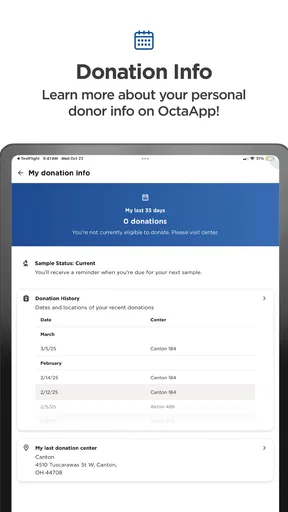
- Donation history helps users keep track of past visits
- May provide updates about eligibility and center availability
Limitations of OctaApp - Donate Plasma
- Features may vary depending on your country or donation center
- Some users may experience delays when syncing appointment data
- Requires personal and health-related information for certain features
- Center availability and appointment slots can change quickly
- The app is mainly useful for Octapharma Plasma donors
Similar Picks in This Category
View All
WebMD: Symptom Checker
WebMD, LLC4.1

Microphone Amplifier
DOSA Apps4.2

Anatomy Learning - 3D Anatomy
3D Medical OU4.5

Period Tracker and Calendar
SimpleInnovation4.9

GoodRx: Prescription Coupons
GoodRx4.8

CVS Health
CVS Pharmacy4.5
Frequently Asked Questions
What is OctaApp - Donate Plasma used for?
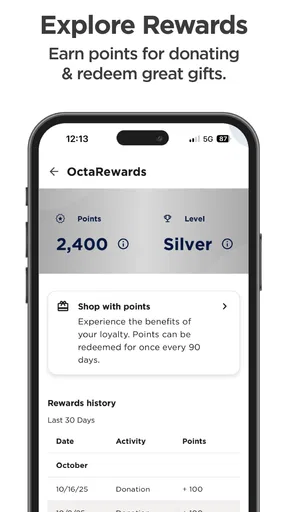
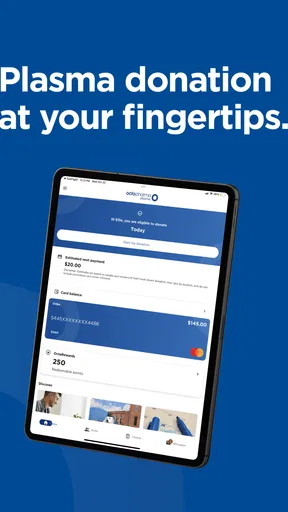
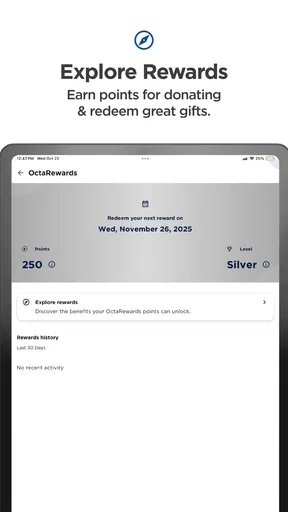
OctaApp - Donate Plasma is designed for plasma donors who use Octapharma Plasma donation centers. After signing in, users can typically view donation-related information, locate participating centers, check available appointment options, review rewards or payment details, and receive updates from the provider. The exact features may depend on your location, account status, and whether your local center supports every function offered in the app.
Can I schedule or manage a plasma donation appointment through OctaApp?
In supported locations, the app can make it easier to manage the donation process by showing center information and available appointment options. However, appointment functionality may vary by center and may not always be available for every donor. Before relying on the app, confirm that your preferred location appears in the service and check its current hours, eligibility requirements, and booking rules.
What information do I need to create an OctaApp account?
Account registration generally requires personal information connected with your Octapharma Plasma donor profile, such as your name, contact details, and identifying information requested during verification. You may also need to create login credentials and confirm access through email or another verification method. Enter information carefully, because mismatched details can prevent the app from linking to your donor account.
Can I check my plasma donation rewards or payments in the app?
OctaApp may provide access to donation history, reward information, payment-related details, or promotional offers, depending on your center and account eligibility. The amounts and timing shown in the app should be treated as informational and can be affected by current promotions, completed donations, eligibility checks, or account corrections. If a payment appears incorrect, contact the donation center directly.
Is OctaApp - Donate Plasma available for everyone, and is it free to download?
The application is intended primarily for donors using participating Octapharma Plasma centers, so some features may not be useful if there is no supported location near you. Downloading the app is generally free, although mobile data charges may apply and certain device permissions may be requested. Review the store listing, privacy information, and supported operating-system requirements before installing it.
